YOU, RECORDING YOUR DAY
Your tasks are now worth R$ 20 an hour.Your everyday tasks are now worth R$ 20 an hour.
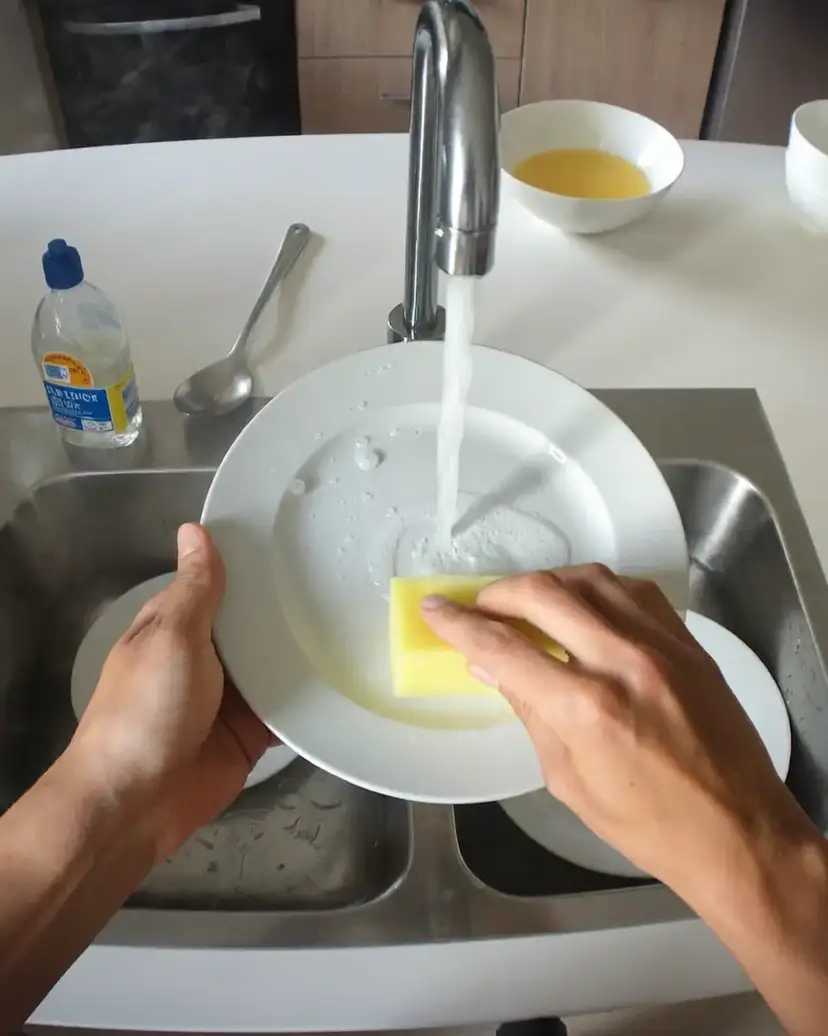
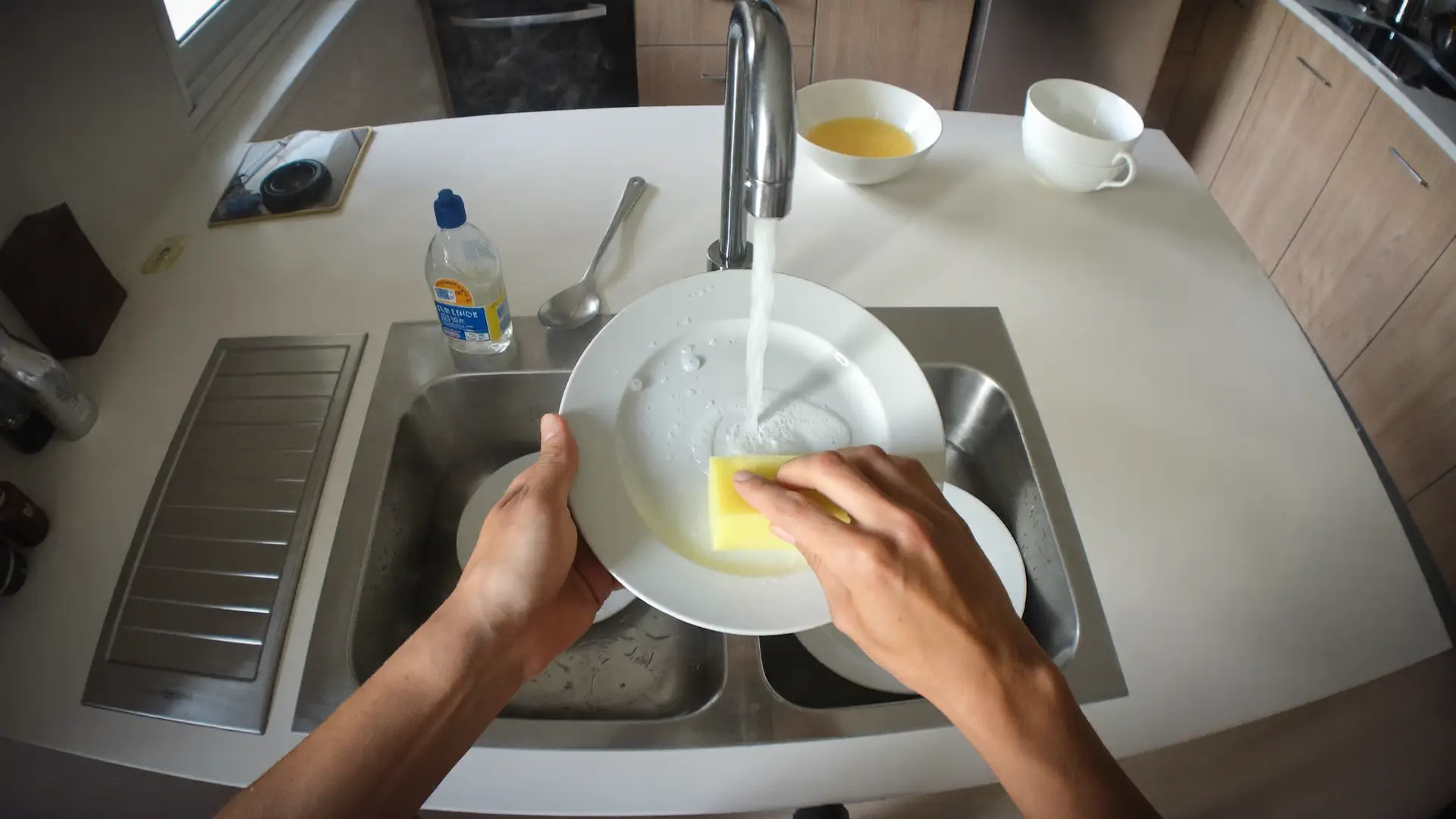
Washing dishes, cooking, washing the car and many more: record in first person and send it through the app.Washing dishes, cooking, washing a car, cutting hair and many more: strap your phone to a head mount, record from a first-person view and send it through the app. Every approved hour of footage is worth R$ 20.
Only hours approved during validation are paid.No fee to join. Only hours approved during validation are paid.
Record.Send.Get paid.
YOU, RECORDING YOUR DAY
Your tasks are now worth R$ 20 an hour.Your everyday tasks are now worth R$ 20 an hour.
Washing dishes, cooking, washing the car and many more: record in first person and send it through the app.Washing dishes, cooking, washing a car, cutting hair and many more: strap your phone to a head mount, record from a first-person view and send it through the app. Every approved hour of footage is worth R$ 20.
Only hours approved during validation are paid.No fee to join. Only hours approved during validation are paid.
Gravações
1 sessões · 37 MB
Recording 1
37 MB
2026-07-17 · 09:32
Recording approved
1 valid hour
+ R$ 20.00
Paid via Pix within 7 business days
Record. Send. Get paid.
Video transcript
The video opens in first person: hands washing dishes in a kitchen sink, with a red REC indicator in the corner of the screen. Cut to a woman folding clothes in a living room, her phone strapped to a tilted head mount, filming her own hands. She finishes, takes the mount off in one motion, looks at the phone and taps SEND in the app; a progress bar fills up to SENT. Then the screen shows the confirmation: recording approved, 1 valid hour, + R$ 20.00. The film closes with three words, one at a time: Record. Send. Get paid.
HOW IT WORKS
From the first tap to payment
Four steps. No mystery.
- 1
Pick a task
Open the app and pick a simple task from the list: washing the dishes, setting the table, tidying a room. Each one comes with a short description of what to do.
- 2
Strap on your phone and record
Put your phone in the head mount, press the red button and do the task your way, as usual. The camera sees what you see.
- 3
Send it through the app
Done? Tap SEND and watch the progress bar until it says SENT. The recording stays on your phone until you decide to send it.
- 4
Get paid for valid hours
Every recording goes through validation. Once approved, its length becomes valid hours. And every valid hour is worth R$ 20.
How much does that add up to by the end of the month? Do the math
EARNINGS
How much you can make
The math is simple: R$ 20 per hour of valid footage.
R$ 80 per day
There is no cap on hours.
MONTHLY ESTIMATE
R$ 2,400
/month
Projection for recording every day of the month (30 days), counting valid hours only.
ImportantThese amounts are estimates, not a promise of income. Only hours approved during validation count: recordings that don't follow the guidelines are not paid. The number of hours available depends on the tasks active in the app.
So what are these tasks?
TASKS
Things you already do every day
36 tasks in 8 categories, from your home to commercial spaces. And the list keeps growing.
Kitchen
7 tasksWashing dishes in the sink or the dishwasher, setting the table, wiping surfaces, organizing the fridge and the pantry.
Laundry
4 tasksFrom the basket to the drawer: collecting, loading the machine, unloading, folding and putting away.
Cleaning
7 tasksBathroom, deep cleaning at home and even commercial spaces, like a shop or an office.
Tidying
7 tasksRooms, wardrobe, the junk drawer, the garage and pictures on the wall.
Car
3 tasksWashing and cleaning the outside, caring for the interior and getting it ready for a trip.
Yard and Garden
2 tasksMowing the lawn, pulling weeds, planting, watering and pruning.
Pets
2 tasksEveryday pet care and walking the dog.
Travel and Events
4 tasksPacking a suitcase, boxing up a move and getting the house ready for a party.
New tasks show up right in the app, under the Tasks tab.
NO FUSS
Here, filming is the easy part
The app shows you the essentials before each recording. The rest is your usual routine.
Camera at eye level
The head mount lets the camera see exactly what you see.
Your hands in the frame
The task is what matters: keep your hands and the objects visible.
A well-lit room
Record during the day near a window or with the lights on. Dark videos may not be approved.
Record the whole task
From start to finish, no cuts. When you're done, stop.
Your face stays out
The camera points at your hands and the task. Never at your face.
Upload whenever you want
The recording stays on your phone. Connect to Wi-Fi and tap ENVIAR PENDENTES (send pending).
THE APP
As simple as your phone's camera
3 steps do it all: record, send and get paid.
- Gravando AI
Bem-vindo(a),
Henrique
Escolha uma tarefa e comece a gravar.
TAREFA ATUAL
DestaqueLavar a louça na pia
Trocar
COMO GRAVAR
EM DESTAQUE
Colocar a louça na lava-louçasLavar a louça na piaPôr a mesaGravar
HomeVídeosTarefasUsuárioPick the task and press the red button. That's all. - Gravando AI
Tarefas
Escolha uma tarefa para gravar.
Destaque
Colocar a louça na lava-louças
Pegue a louça suja e coloque na lava-louças. Quando tiver louça suficiente, ligue a máquina.
Lavar a louça na pia
SELECIONADALave toda a louça suja da pia com uma esponja ou um pano.
Pôr a mesa
Coloque pratos, talheres, copos e guardanapos nos lugares certos para uma refeição.
Outros
Cozinhar
Prepare uma refeição do começo ao fim, do preparo dos ingredientes ao prato montado.
Organizar um cômodo
Recolha os objetos espalhados e guarde cada coisa no seu lugar. Pode ser qualquer cômodo.
HomeVídeosTarefasUsuárioEach task explains what to do, in one sentence. - Gravando AI
Gravações
1 sessões · 37 MB
ENVIAR PENDENTES (1)Recording 1
37 MB
2026-07-17 · 09:32
MOVIMENTOLOCALENVIANDOENVIADO89%HomeVídeosTarefasUsuárioFollow every upload to the end. No mystery. R$ 20.00
per valid hour
The more you record, the more you make.
WHY THIS EXISTS
Why would anyone pay to watch you wash dishes?
The way you do things is knowledge nobody ever wrote down in any book.
It's what artificial intelligence and robots need to learn: thousands of hours of video of real people. You record your way, and every valid hour is paid.
CLEAR TERMS
No fine print
You choose what you record
Only the tasks you select, whenever you want. Nothing is recorded unless you press the button.
The recording stays with you until you send it
Videos are saved on your phone and only leave it when you tap SEND.
You see the status of everything
Each recording shows whether it's on your phone, uploading (with a percentage) or sent.
Face out of frame
The camera points at your hands and the task. Never at your face.
Transparent validation
Every recording is reviewed before it's paid. That's why we always talk about valid hours, not recorded hours.
How the videos are used
Your videos are used only to teach artificial intelligence and robots to understand everyday tasks. They are never published or shared as content.
QUESTIONS
Frequently asked questions
It's 100% free. You record, send, and once the hours are approved by our team, you get paid. That's it.
R$ 20 for every hour of valid footage, meaning footage approved during validation. It's calculated per minute: half a valid hour is worth R$ 10, and so on.
Yes, 1 minute. Shorter recordings don't go into validation. Beyond that, record for as long as the task takes.
An hour of footage that went through validation and was approved: the task appears in full, with your hands visible and the room well lit, following the app's guidelines. Only valid hours are paid. Recording alone doesn't guarantee payment.
Via Pix (Brazil's instant transfer system), within 7 business days after the recording is approved. There is no minimum payout.
Up to 48 hours after upload. You can follow the status of each recording inside the app. After approval, payment arrives within 7 business days.
Two things: a recent phone and a universal head mount (head strap), sold online from about R$ 30. As for the phone, the reference is iPhone 12 or newer, Pixel 6 or newer and Galaxy S21 or newer (except FE models). And here's a shortcut: if the app let you sign in to your account, your phone is compatible.
No. Recordings are first person: the camera shows what you see, your hands and the task. Never your face.
The app shows the reason (low light or hands out of frame, for example) and you can record the task again as many times as you like. Rejected recordings are not paid.
No. Record as many hours as you want, at your own pace, based on the tasks active in the app. The usual rule applies: only approved hours are paid.
To train artificial intelligence, such as robots that perform household tasks. A task that's simple for you takes thousands of hours of real video for a machine to learn, and those are the hours you record. The videos are never published or turned into social media content.
Anyone: all you need is a compatible phone (see the equipment question) and a Pix key to receive payments.
Yes, for Android: tap the Google Play badge or scan the QR code on this site to download it. The iPhone version is on its way.
GET THE APP
Get the app and start recording today
Free, for Android. Tap the badge or point your camera at the QR code. iPhone version coming soon.


Record.Send.Get paid.